New from Satpura Studio ↗

Attendance, honest.

Haaziri verifies identity, location and attendance on every punch. Staff punch in from their own phone in about 15 seconds, and our server checks it before it counts.

✓

IdentityThe face matches the person who is punching.

✓

LocationThe phone is inside the circle around your shop.

✓

AttendanceThey scanned your front-desk code, which changes every 10 seconds.

See how it works ↓
A staff member scans the front-desk code, looks at the camera and does two quick moves, the server checks six things, and the owner sees the punch.
✓
Ravi Kumar is in9:58 AM · all checks passed
✕
Refusedphone is 2.4 km away
₹
Pay sheet readyNovember · 1 tap
How a punch works

Fifteen seconds. Checked every time.

Scroll through one punch, a step at a time.

A punch from start to finish: the front-desk code, a photo and two moves, the server's six checks, and the owner's screen.
1

Scan the code at the desk

Staff tap Punch in and point their phone at the screen on your counter. The code changes every 10 seconds, so a photo of it is useless.

2

A photo, then two quick moves

Our server picks two moves at random: blink, turn or smile. A printed photo can't do them, and nobody knows them in advance.

3

Our server checks six things

Face, place, code, phone, the moves and the clock. The phone only sends what it saw. The server decides.

4

You see it, live

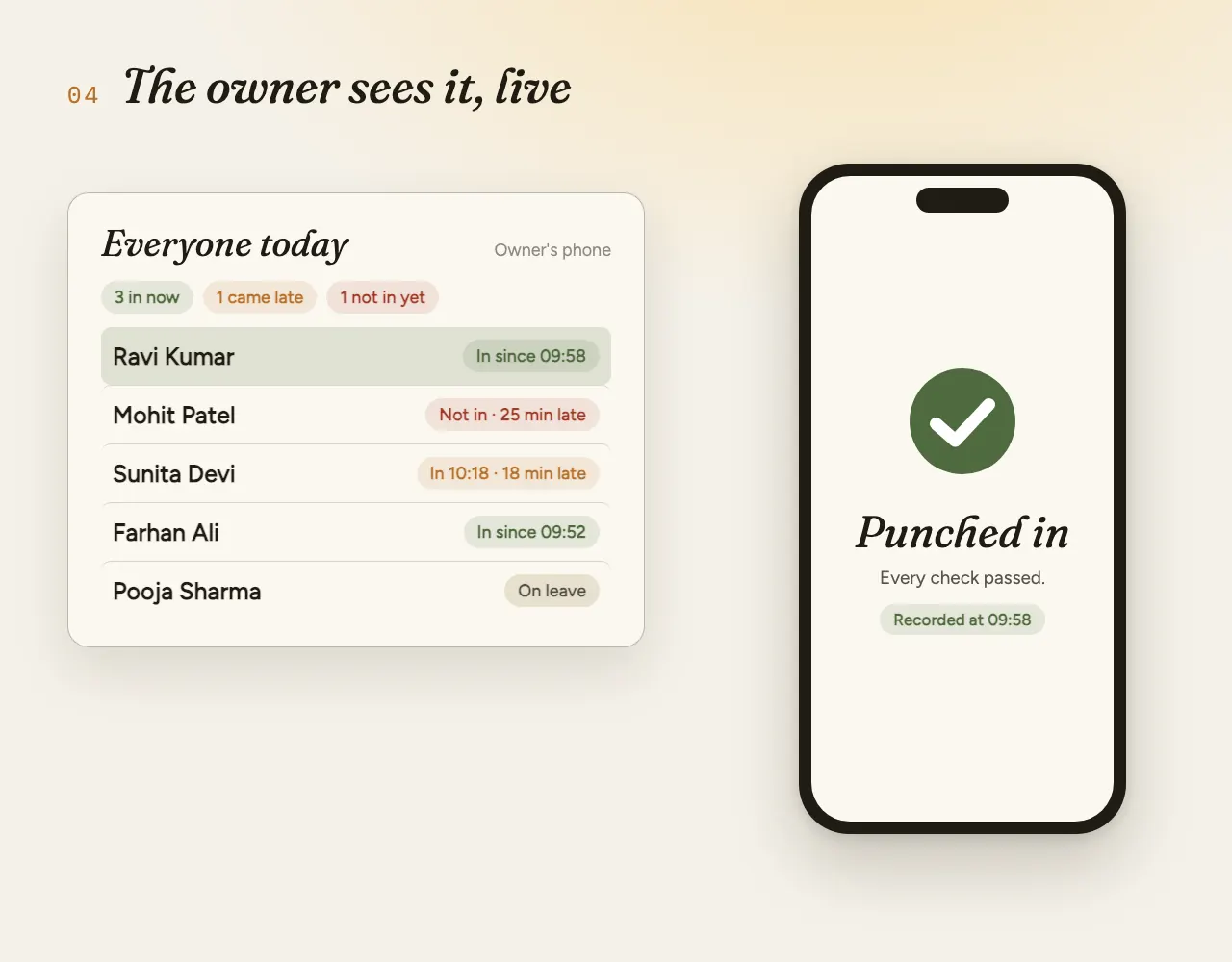
The punch lands on your phone at once, with who came late and who hasn't come in yet.

The real app

Real screens. Not mock‑ups.

These are the actual Haaziri screens, from our demo shop with made-up staff.

For the owner

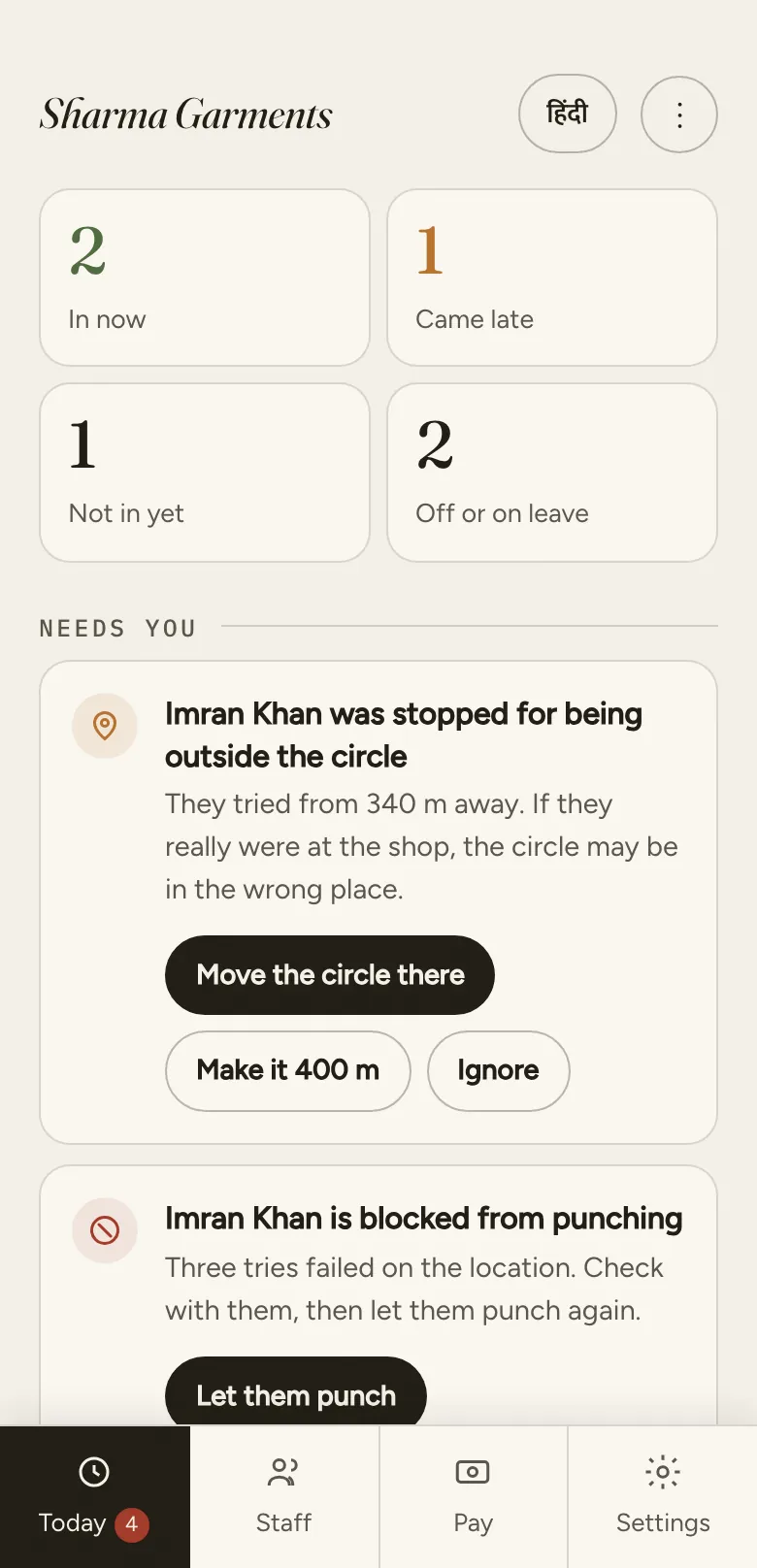
Owner's Today screen: 2 in now, 1 came late, 1 not in yet, 2 off or on leave, and alerts that need the owner.
Today, at a glanceWho's in, who isn't, and anything that needs you.
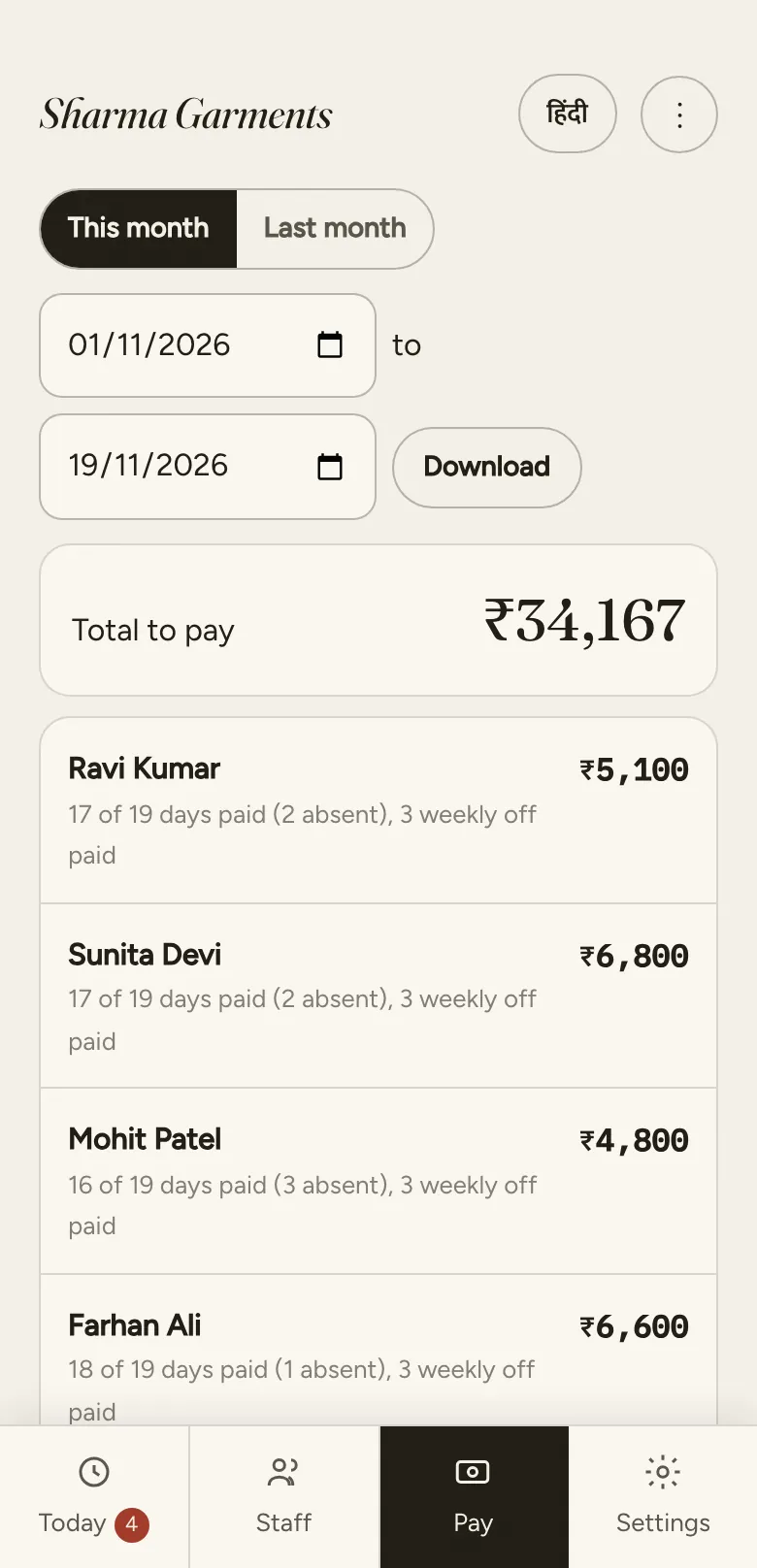
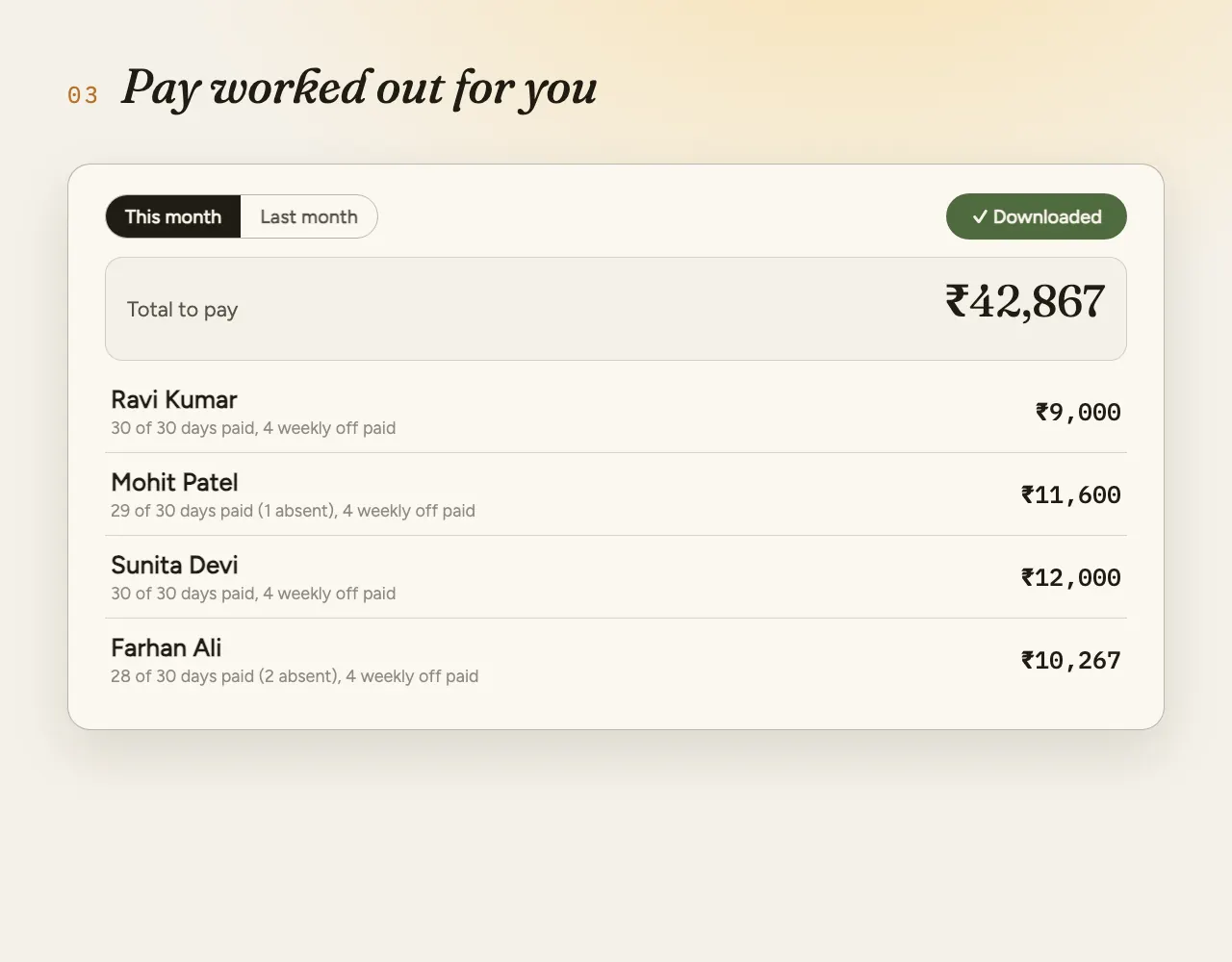
Owner's Pay screen: date range, total to pay, and each person's days paid, absences and pay.
Attendance and pay reportDays paid, absences and pay for any dates. Download as a spreadsheet.
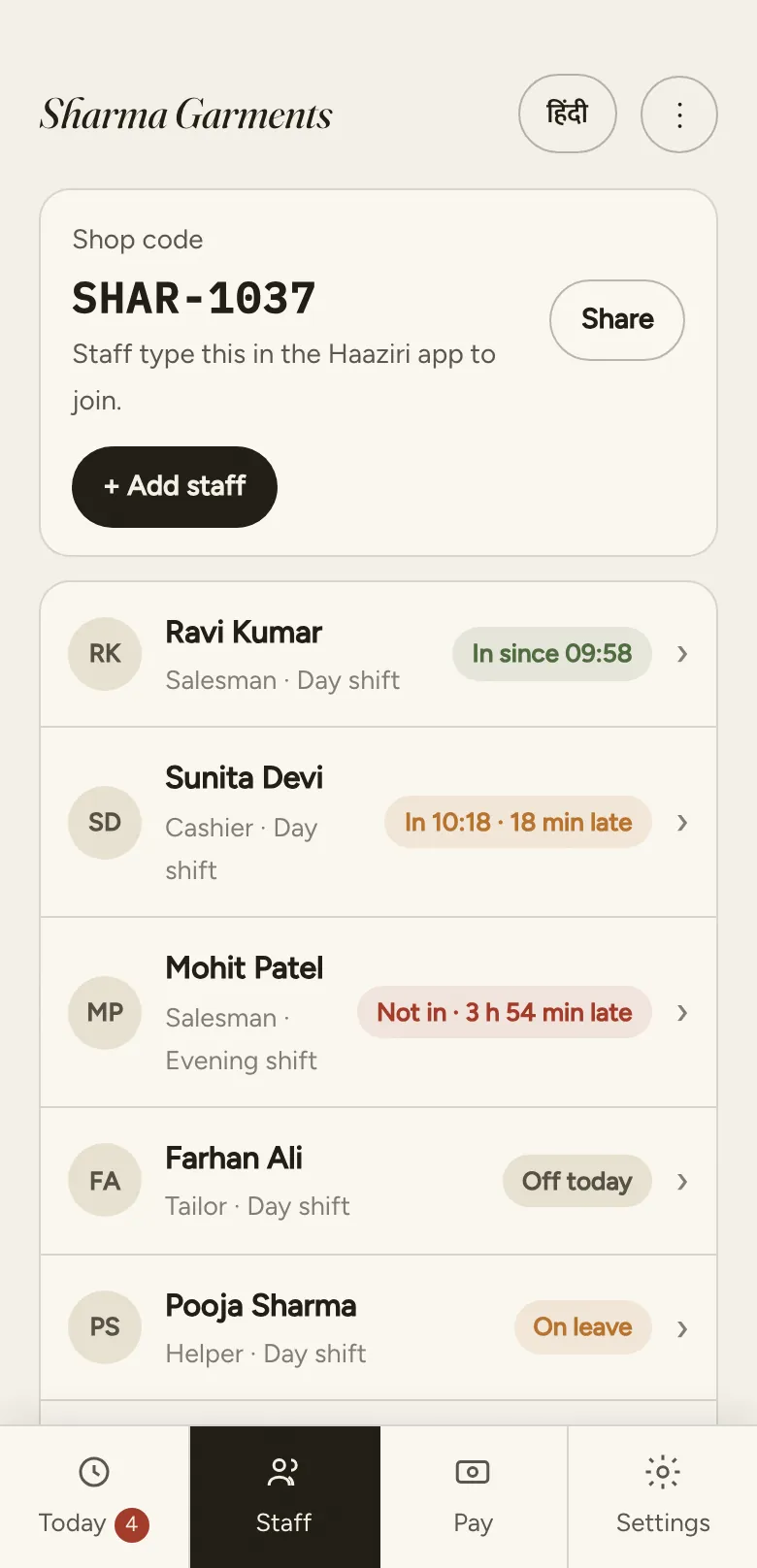
Owner's Staff screen: shop code to share, and each person's job, shift and status.
Your staffAdd people with your shop code. Everyone's status, live.
Swipe to see more →

For staff: punching in

Staff use the phone they already carry. Scan the code, two quick moves, done: the steps are above.

About 15 seconds. No card, no password, no app to install.

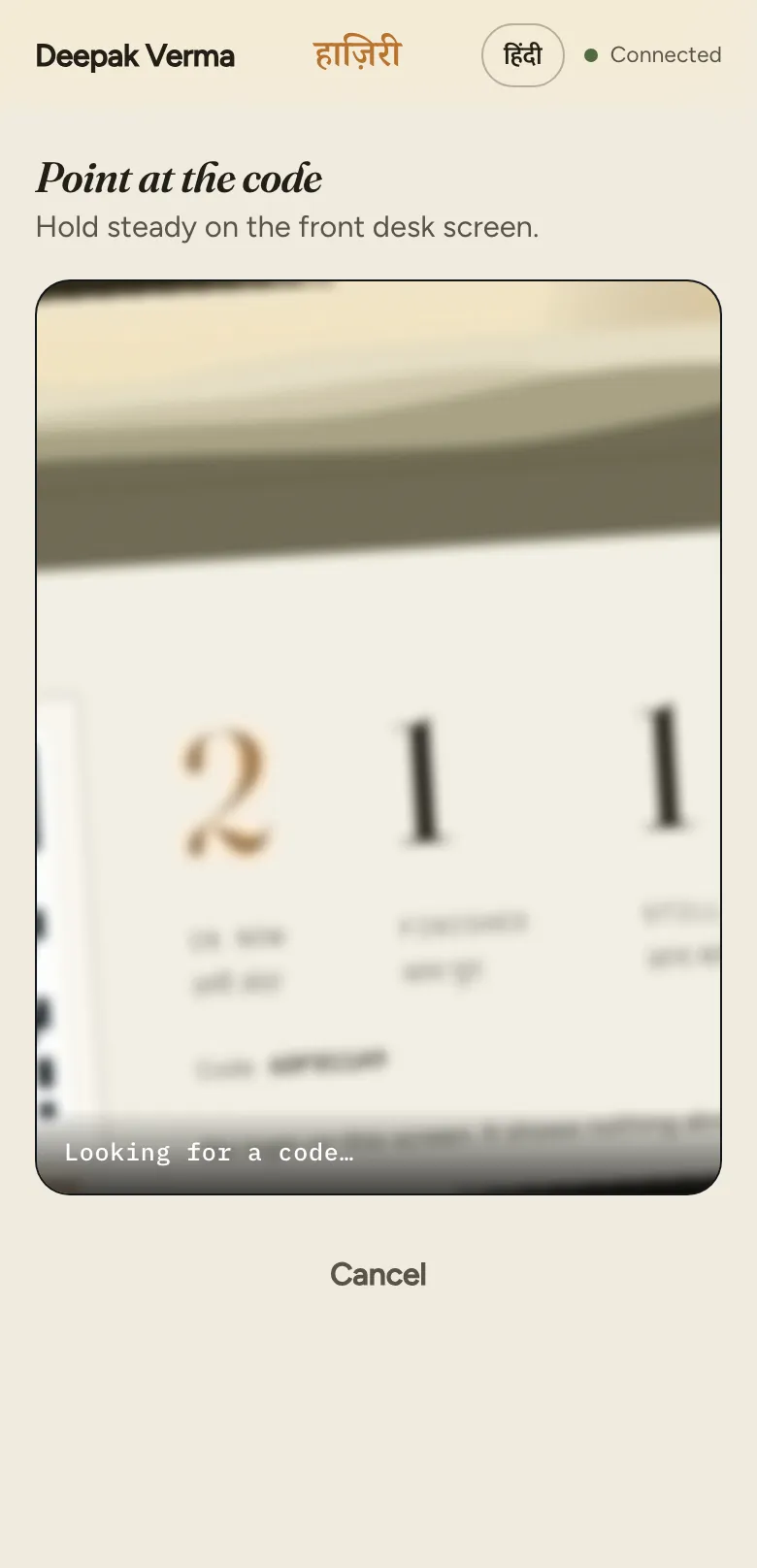
Staff phone, step one: Point at the code. Hold steady on the front desk screen. Looking for a code.
Scan the desk code
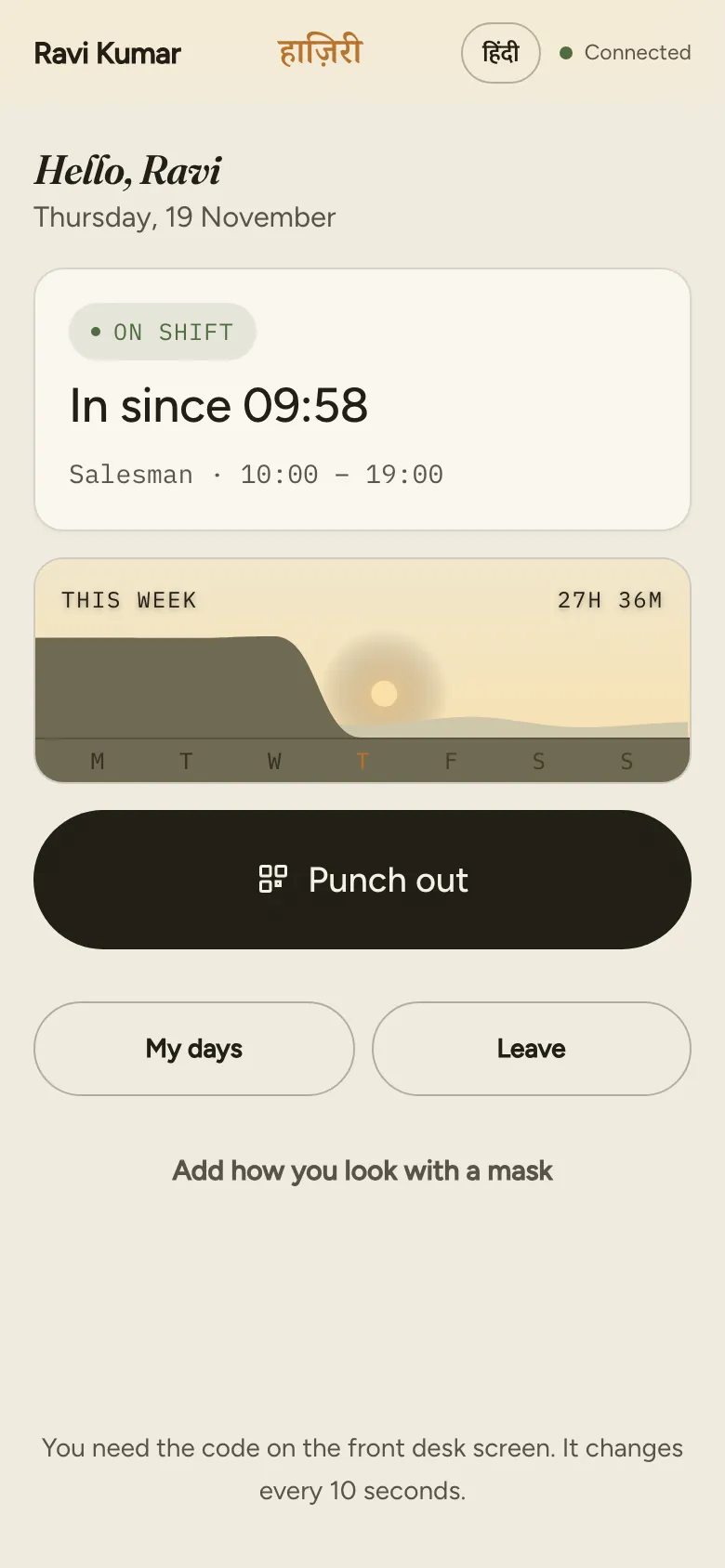
Staff phone after punching in: Hello Ravi, on shift, in since 09:58.
In, on the record
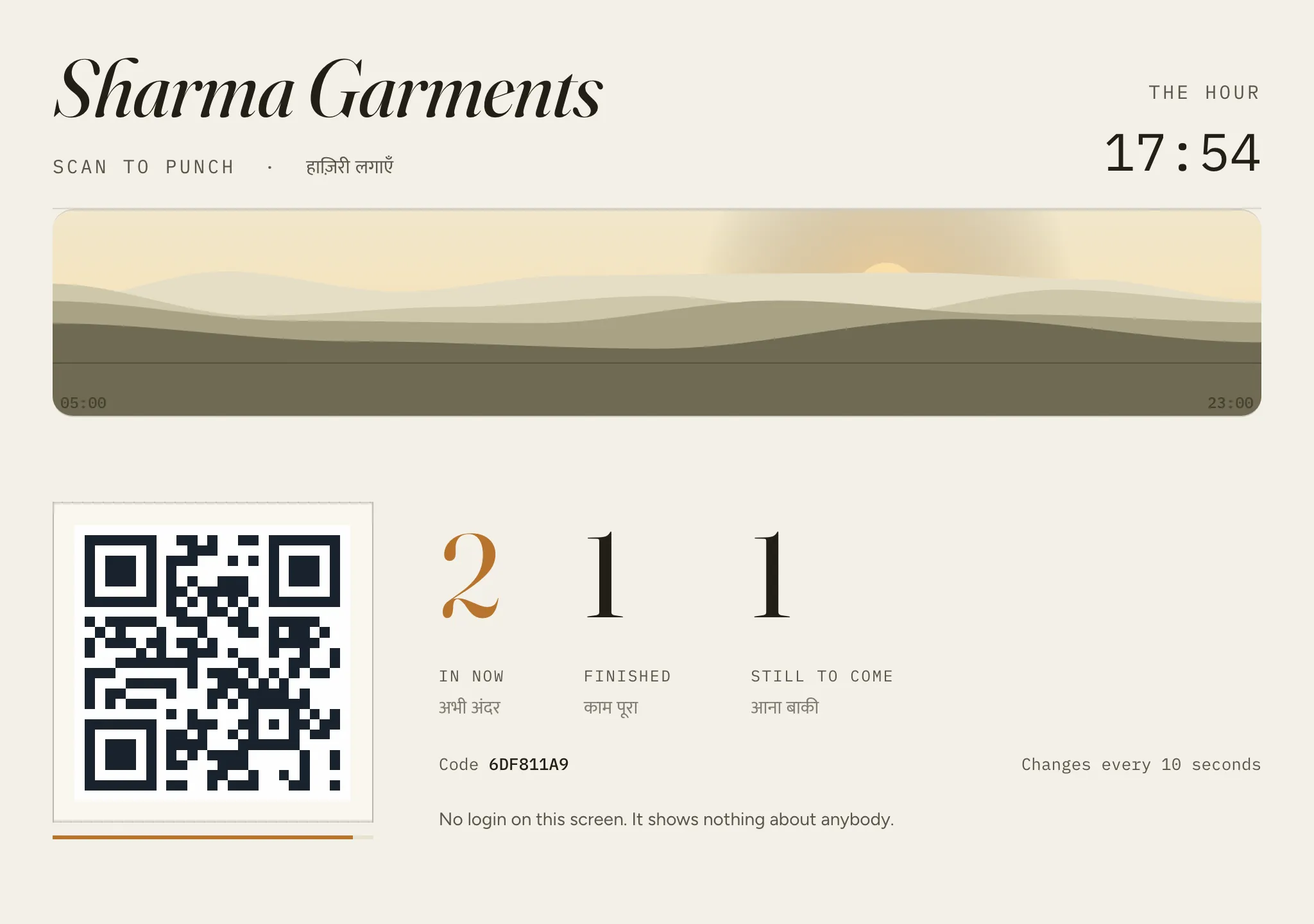
The front-desk screen: shop name, the code to scan, how many are in now, finished and still to come.
Front desk

A screen at your counter.

Any old phone, tablet or laptop shows the code staff scan. It changes every 10 seconds. It has no login and shows nothing about anybody, just how many are in.

See the demo yourself.

A made-up shop, Sharma Garments, with seven staff. Tap anything; it resets itself every few hours.

They'll try

Go on. Try to cheat.

Pick a trick. Watch the server say no.

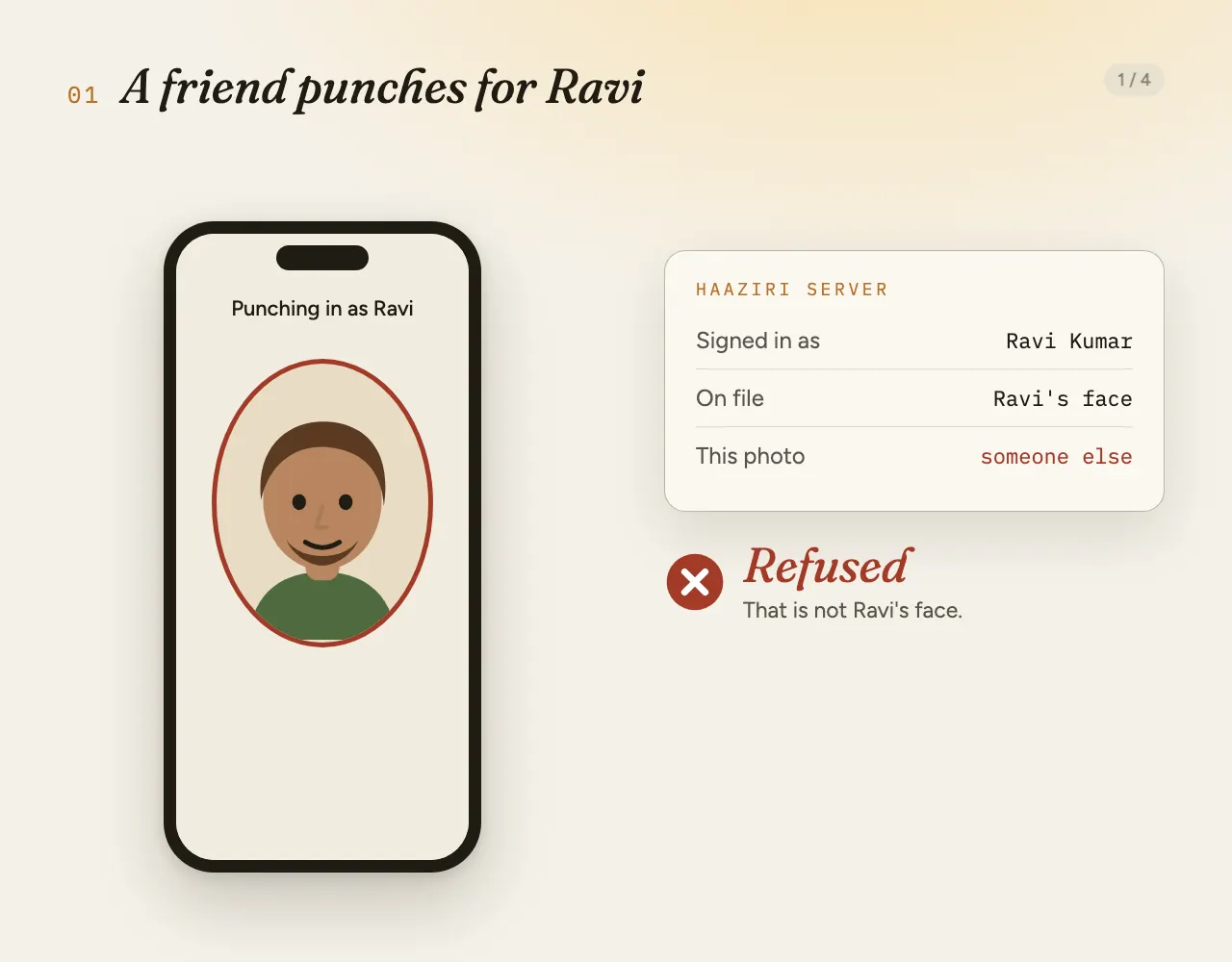
Four ways staff try to fake a punch, each refused by the server.
✕  REFUSED

That is not Ravi's face.

Every selfie is checked against the face on file for that person. A friend can't stand in.

Changing the phone's clock doesn't work either; the time comes from our server. One trick can still work: a video played on a screen. Here is exactly where the limit is →

Every single punch

Six checks. All must agree.

Face

It's really them, matched to the face they set up when they joined.

Place

Only inside the circle you draw around your shop.

Code

Fresh from the front desk. It changes every ten seconds.

04E645C0
new code in 10 s

Phone

Their own phone, not one passed around.

Movement

Two random moves, shown one at a time. A printed photo can't.

Clock

Our time, not theirs. A changed phone clock changes nothing.

10:02:14
For the owner

Know who's in. Pay without the maths.

Everything on your phone, live. No register, no adding up at the end of the month.

The owner's screen: who is in today, the month filling in, and the pay sheet.
1

Who's in, right now

Everyone on one list, the ones to chase first: who came late, who hasn't come in yet, who is on leave. You set how late counts as late.

2

The month fills itself in

Every day, every person. Shifts, weekly offs and night shifts across midnight. Staff ask for leave from their phone, and you tap yes or no.

3

Pay, worked out for you

Days paid, absences and leave for this month or last, and a spreadsheet for your accountant in one tap.

Made forHotelsRestaurantsShopsGymsSalonsAnywhere with a shift
Privacy and security

Faces are serious. We treat them that way.

What the face check keeps, where it lives, and who can see it.

How it's stored

When someone joins, Haaziri works out a set of numbers from their face photos; the next punch is compared against them. Each punch also keeps one photo, so you can see it was really them. All of it sits in your business's records on our server in Bangalore, India.

How it's protected

Only you and the managers you add can see it, after signing in. We look only when you ask us for help. Owner and manager passwords are stored scrambled, never readable. Every connection is encrypted (HTTPS). Matching runs on our server, so a tampered phone can't say yes. Never sold, never used for ads.

How it's deleted

Staff agree before their face is set up, and can withdraw in the app at any time: their face data is deleted at once. You can clear anyone's face from your screen too. Punch photos are deleted on request, and everything is deleted when a business stops using Haaziri.

!
The honest limit: a video on a screen

Haaziri stops a friend's face, a printed photo, punching from home and a forwarded code. It cannot yet tell a live person from a video of them played on another screen. To use that trick, someone would need that person's own phone, be inside your shop's circle, scan the code at your desk within 10 seconds, and make the video do two random moves the app shows one at a time, about a second apart. A punch that only just passes, or passes after being refused, comes to you with its photos to check. And every punch keeps a photo.

Location is read only at the moment of a punch, never in between.Read the privacy policy →
What it costs

Priced by team size. Everything included.

Paid once a year. Every plan has every feature; the only difference is how many staff you have.

FOUNDING OFFER

The first 20 businesses get ₹1,000 off their first year.

  1. DAYS 1–14Free trial. No card, no payment.
  2. YEAR 1Any plan, ₹1,000 off. Starts when the trial ends.
  3. YEAR 2 ONThe normal price for your plan.
Checking…
–
founding spots left
Any team size counts as one spot
Starter
1–10 staff
₹3,999 /year
about ₹333 a month
Founding offer: ₹2,999 for year one
  • Up to 10 staff punching in
  • Owner + manager logins
  • All six punch checks
  • Front-desk code screen
  • Shifts, weekly offs and leave
  • Attendance and pay report
  • WhatsApp support
Try Starter free
MOST SHOPS
Growth
11–20 staff
₹5,999 /year
about ₹500 a month
Founding offer: ₹4,999 for year one
  • Up to 20 staff punching in
  • Owner + manager logins
  • All six punch checks
  • Front-desk code screen
  • Shifts, weekly offs and leave
  • Attendance and pay report
  • WhatsApp support
Try Growth free
Business
21–30 staff
₹7,999 /year
about ₹667 a month
Founding offer: ₹6,999 for year one
  • Up to 30 staff, then ₹49 a month per extra person
  • Owner + manager logins
  • All six punch checks
  • Front-desk code screen
  • Shifts, weekly offs and leave
  • Attendance and pay report
  • WhatsApp support
Try Business free

More than 30 staff?

Take Business, and add ₹49 a month (₹588 a year) for each person over 30, up to 39 staff. At 40 or more, we work out a price with you.

Example, 35 staff: Business ₹7,999 + 5 extra × ₹588 = ₹10,939 a year.
Growth plan
₹5,999 a year
up to 20 staff
Founding offer: ₹4,999 in year one

The price you sign up at stays the same for the time you paid for.

What it doesn't do yet
  • Pay is a day count. PF, ESI and professional tax are still your accountant's job.
  • Alerts show on your screen, not by SMS yet.
  • A video played on a screen can still pass the face check (see the limit).

Start today.

Try it at your shop for 14 days, free. We'll set it up with you on WhatsApp.

You'll talk to Anany Soni, founder of Satpura Studio, who builds Haaziri. We reply on WhatsApp within 24 hours.

See demo Try free